




















Video and film
Add whooshes, impacts, doors and footsteps to edits, trailers and short films.
Describe any sound and get a high-quality effect: footsteps, rain, explosions, UI clicks, ambience and more.
AI Sound Effects Generator
Press play to hear a real result.
Saved to your workspace history.
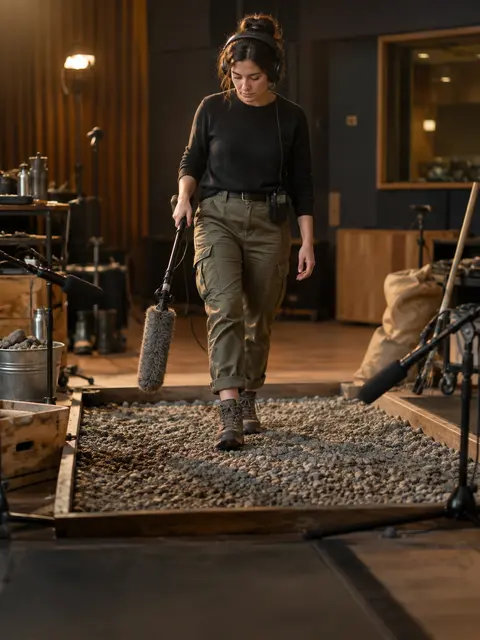
The RegiAI sound effect generator creates custom audio from a text description. Type what you want to hear, such as "footsteps on gravel" or "heavy rain on a tin roof with distant thunder", choose a length of 5, 10, 20 or 30 seconds, and a WAV file is usually ready in a few seconds. It is quicker than digging through sound libraries for something that almost fits.
Each sound costs $0.05, and your first sound each day can use the daily free generation. For music rather than effects, use the AI Music Generator. To add sound to a silent clip automatically, try AI Video to Audio.
Write up to 500 characters: the source, the surface or setting, and the mood, such as "a wooden door creaking open slowly in an empty hall".
Choose 5, 10, 20 or 30 seconds. Short lengths suit one-off hits; longer ones suit ambience and loops.
Press Generate sound, listen, and download the WAV for your video, game or podcast.
Add whooshes, impacts, doors and footsteps to edits, trailers and short films.
Create laser shots, pickups, UI clicks and alerts for prototypes and indie games.
Build scene-setting ambience and transitions for audio stories.
Generate rain, wind, forest, café or city background loops up to 30 seconds.
Add punchy sound to reels, memes and TikToks without licensing a library.
Illustrate lessons with animal calls, weather and machine sounds.
Add footsteps, cloth rustles and object sounds to footage recorded without audio.
Create risers, impacts and textures to layer into your own tracks.
Sound effect prompts work best when they read like a sound designer's notes. Include:
Compare "explosion" with "distant explosion in a canyon, deep rumble with a long echo". The second gives the model far more to work with. Keep one main event per prompt; for a sequence, generate each part separately and layer them in your editor.
A few prompts that tend to work well: "a single heavy wooden door slam in a large stone hall, long echo"; "soft rain on leaves in a forest, birds far away"; "retro arcade coin pickup sound, bright and short"; "old car engine starting on a cold morning, then idling"; "crowd of fans cheering and clapping in a large stadium".
Choose the length before you generate. 5 seconds fits single hits such as a gunshot, notification or door knock. 10 seconds fits short actions and transitions. 20 or 30 seconds fits ambience such as rain, wind or a busy street that sits under dialogue.
Every sound downloads as a WAV file, which keeps full quality for editing. Trim the start and end in your editor, and add a short fade for clean loops. The price is the same $0.05 for every length, so pick the longer option when you are unsure and cut it down.
The generator is built for effects and ambience. It does not produce clear speech or full songs; for those, use the AI Voice Generator or the AI Music Generator.
Levels vary between generations, so check the volume of each sound against the rest of your mix and adjust it before you export.
Every sound costs a flat $0.05. Your first generation each day can be free, and a failed sound is refunded automatically. There is no subscription; top up from $10 when you need more. Sounds are saved in My creations for 30 days.
You can use results under our Terms of Service and the model provider's license. RegiAI does not add a watermark or audio tag.
To build a finished clip, generate footage with Text to Video or Image to Video, add effects here, then a voiceover from the AI Voice Generator.
Unlike stock sound libraries, every sound here is generated fresh from your description, so you are not limited to what someone else recorded. That is most useful for specific or unusual sounds, such as "a small robot beeping happily while rolling over tiles", that are hard to find in a library.
If a result is close but not quite right, generate it again. Each run gives a different take on the same prompt, and at $0.05 a sound it is cheap to try a few versions and keep the best one.
Still stuck? Contact us.