




















Consistent narration
Make recordings from different days or microphones sound like one narrator.
Make a recording sound like a different voice while keeping the words and timing.
AI Voice Changer
Press play to hear a real result.
Saved to your workspace history.
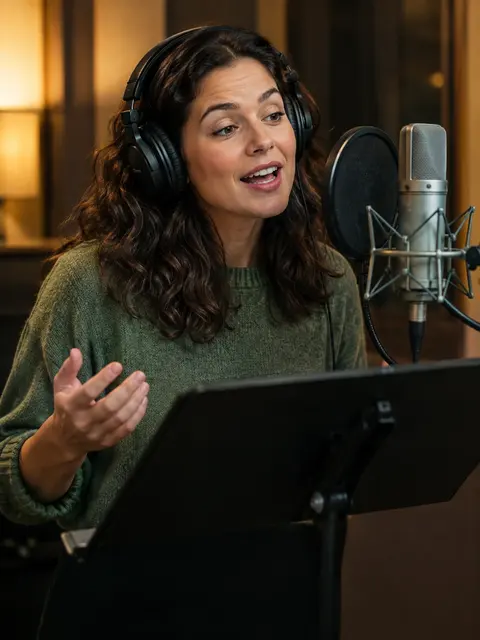
The RegiAI AI voice changer makes an existing recording sound like a different voice. Upload the recording you want changed and a 5 to 30 second sample of the target voice. The words, pauses and timing stay exactly as you recorded them; only the voice changes. You get a WAV file back, usually in under a minute.
Each recording costs $0.05, and your first change each day can use the daily free generation. You must have permission to use the target voice. If you have text instead of a recording, use the AI Voice Cloner; for ready-made voices, the AI Voice Generator.
Add the speech you want to change: MP3, WAV, M4A or OGG up to 10 MB. This sets the words and timing.
Add 5 to 30 seconds of the voice you want to sound like, and confirm you have permission to use it.
Press Change voice. The converted recording is ready as a WAV file, usually in under a minute.
Make recordings from different days or microphones sound like one narrator.
Record every character yourself, then change each part to a different approved voice.
Keep the exact timing of a video voiceover while switching to the voice actor who approved it.
Change your voice in a recording before sharing it, while keeping what you said.
Try different voices for a podcast skit, animation or game prototype.
Hear spoken demo lines in another voice before booking a session.
Record practice dialogues yourself and give each role a different approved voice.
Keep one consistent instructor voice across modules recorded by different team members, with their approval.
Voice conversion separates what is said from who says it. The tool reads the content, rhythm and timing from your recording, learns the character of the target voice from the sample, and rebuilds the speech in that voice. Because the timing is preserved, the result still lines up with any video you recorded it for.
This is different from text-to-speech. Nothing is re-read from a script, so pauses, emphasis and pacing come from your performance. If you want a stronger performance, record it the way you want it to land and let the tool change only the voice.
The output is a 24 kHz WAV file. It suits voiceovers, videos and podcasts. For singing, results are less reliable, since the tool is built for speech.
A typical workflow looks like this: record your script with a phone or USB microphone, trim the silence at the start and end, then upload it together with a clean sample of the target voice. Download the WAV, place it on your video timeline in place of the original, and adjust the volume. Because the timing does not change, cuts and subtitles you made on the original still line up.
If the result sounds a little muffled, check the target sample first. A sample recorded on a better microphone, in a quieter room, usually fixes it. If a few words sound off, re-record only that sentence, change it separately and replace it in your editor.
Each conversion costs a flat $0.05, whatever the length of the file. It qualifies for the daily free generation, so your first change of the day costs nothing. Extra changes are paid per use from your balance, with no subscription, and a failed conversion is refunded automatically.
You must confirm you have permission to use the target voice. Do not use the voice changer to deceive, impersonate or harass anyone. Results are saved in My creations for 30 days and can be deleted at any time.
Related: the AI Audio Translator dubs a video into another language in the original voice, and AI Speech to Text turns your recording into a written transcript.
If your goal is simply to hide your identity in a recording, choose a target voice that is clearly different from yours and that you have the right to use, such as a voice actor who has agreed or a colleague who has given permission.
Voice changing is a good fit for creators who record a lot of spoken content and want one consistent sound across it, and for small teams producing training, explainer or game content with the approval of the voices they use.
Still stuck? Contact us.