




















Soft phone photos
Rescue shots that came out a little soft from a slow shutter or missed focus.
Remove blur from photos using advanced AI technology.
You'll be asked to sign in with Google before processing.
By uploading an image you agree to our Terms of Use and Privacy Policy.
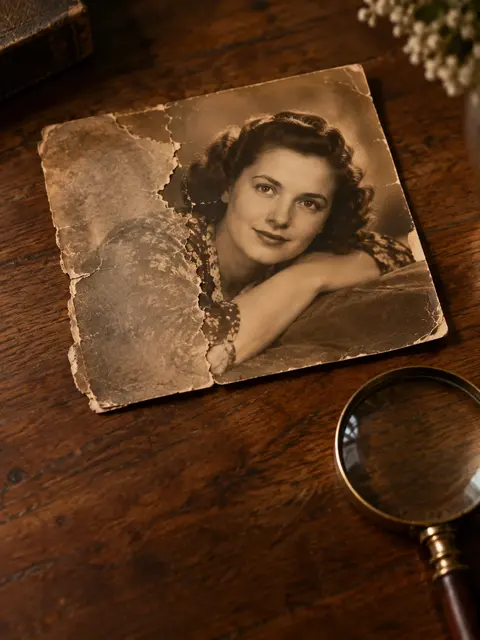 Example · made with RegiAI
Use RegiAI to unblur an image in one click. Upload a soft, noisy or heavily compressed photo and the AI sharpens edges, recovers fine detail and cleans up grain and JPEG blocks. You see the before and after side by side and download the enhanced version.
It costs $0.05 per image and your first generation each day is free. Unblurring works best on photos that are slightly out of focus or low quality. If your photo is sharp but too small, the AI Image Upscaler is the better tool. If it is an old print with scratches and stains, use AI Photo Restoration.
Choose a JPG, PNG or WebP image up to 10 MB that looks soft, noisy or compressed.
Click Enhance Image. The AI restores edges and detail, usually in 10 to 30 seconds.
Compare the before and after, then download the enhanced image.
Rescue shots that came out a little soft from a slow shutter or missed focus.
Make eyes, hair and facial edges crisper in slightly out-of-focus portraits.
Clean up blocky JPEG artifacts from images saved or shared many times.
Make soft text and small details easier to read.
Give listings and social posts crisper, cleaner product shots.
Improve photos that lost quality after being sent through messaging apps.
Rescue a slightly soft group shot from a party or wedding where no sharper copy exists.
Clean up grainy pictures from early phones and compact cameras.
The unblur tool uses an image restoration model trained to turn low-quality photos into cleaner, sharper ones. It is good at:
It has limits. Strong motion blur, where the subject is smeared across the frame, or a photo that is so blurry you cannot tell what is in it, cannot be fully recovered; the AI can only sharpen detail it can infer. Faces that are tiny in the frame also gain less than faces that fill it. When a photo is badly blurred, it is often better to use a different shot, or to accept a softer but natural result.
A quick way to judge a photo before you upload it: zoom in on an edge, like the outline of a face or a window frame. If you can still see where the edge is, just soft or noisy, the AI has something to work with. If the edge is smeared into a long streak, the photo has strong motion blur and will improve less.
Everything happens in your browser: upload, wait a few seconds, compare and download. There is nothing to install and no settings to learn, which makes it practical on a phone as well as a computer.
Blurry photos often have more than one problem. Use the tool that matches the main one:
You can chain them: unblur first, then upscale for print. Tip: always start from the best copy of the photo you have, such as the original file from your phone instead of a screenshot of it, because every copy loses a little quality. To blur something on purpose, like a face or a license plate, there is the free Blur Image tool.
Photos taken in low light are a common case: they tend to be both noisy and a little soft. Unblurring handles both at once, which is why it often looks cleaner than simply sharpening in a phone editor, where sharpening also makes the noise stronger.
Each image costs $0.05 from your RegiAI balance. There is no subscription: credit packs cost $10, $25, $50 or $100, and larger packs include bonus credit. Every signed-in user also gets one free generation per day on tools priced $0.10 or less, and unblurring qualifies. It does not stack or roll over. If the enhancement fails, the charge is refunded automatically.
The enhanced image has no RegiAI watermark and is saved in My creations in your dashboard for 30 days, where you can download or delete it. You sign in with Google to use the tool.
The before and after view lets you check the result immediately. If it did not help much, the photo probably has strong motion blur; you only pay $0.05 per attempt, and a failed run is refunded.
For a large batch, start with the photos that matter most and check the results before doing the rest. A $10 credit pack covers 200 images, which is enough for most albums or product catalogs.
Still stuck? Contact us.