




















Art history questions
Get a starting description of a painting, sculpture or mosaic before you look up the artist and period.
Upload a picture and get a clear AI explanation of what it shows — subjects, setting, colors and mood.
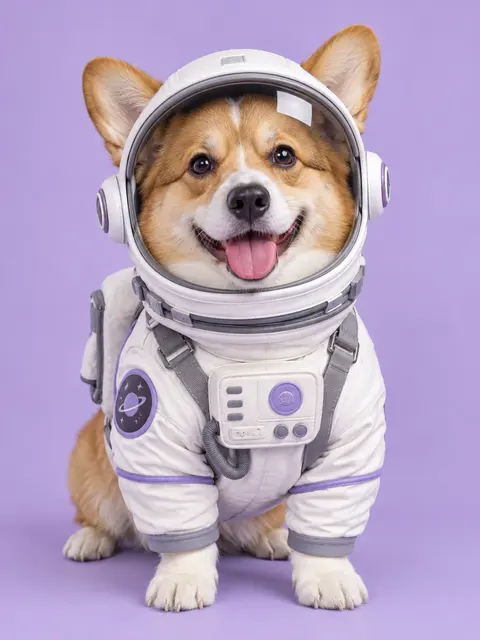 Example · made with RegiAI
Example description
The image shows a smiling Pembroke Welsh corgi dressed in a white astronaut costume, complete with a clear bubble helmet, gray harness straps and a chest control panel with purple buttons. A planet patch decorates the shoulder. The dog sits facing the camera against a soft lavender studio background, giving the photo a playful, whimsical mood.
"What is depicted in the image above?" is a common question in online quizzes, worksheets, art history lessons and reading tests. This tool helps you answer it. Upload the picture (a cropped screenshot works) and the AI explains what it shows: the people or objects, the setting, the colors and the mood, in a few clear sentences you can learn from.
It costs $0.01 per image, charged only when an answer comes back, and your first one each day can be free. If the picture is a math or science problem, AI Picture Answer solves it step by step. To ask a follow-up question about the same image, use the AI Image Identifier.
Screenshot or save the picture from your assignment, slide or web page. Crop out everything except the image for the clearest result.
Add the JPG, PNG, GIF or WebP (up to 10 MB) and press the button to analyze it.
Read the explanation, check it against your course material, and write the answer in your own words.
Get a starting description of a painting, sculpture or mosaic before you look up the artist and period.
Understand what a small or unfamiliar picture in an online quiz is meant to show.
Get a plain description of an old photograph, poster or illustrated map.
Hear or read what an image shows when it is hard for you to see.
Compare your own description of a picture with an AI one to learn new vocabulary.
Get a first read of symbols, gestures and settings in a religious or cultural image.
Understand an image before you use it in a slide, so your caption matches it.
Get a quick read of a worksheet picture so you can talk it through together.
Teachers use this question to check that you can observe carefully and connect what you see to what you have learned. A strong answer usually has three layers:
Use the AI explanation for the first layer and as a clue for the second. Then use your textbook, lecture notes or the caption in your course to confirm the rest. The AI does not know what your teacher covered, so the context has to come from you.
If your course asks you to name the exact work or artist, search the details the AI gives you (for example "medieval manuscript, monks writing at desks, gold leaf") in your course materials to find the match.
A good screenshot takes a few seconds: on Windows press Windows+Shift+S, on a Mac press Command+Shift+4, and on a phone take a screenshot and crop it in your photo app.
The tool gives you a description, not a graded answer. AI can misread small details, mistake one historical scene for a similar one, or miss the meaning your course wants you to find. Treat the result like a study partner's first guess: useful for getting unstuck, but something to check.
Follow your school's rules on AI tools. Many allow them for studying and understanding material but not for submitting answers word for word, and some exams forbid them entirely. Writing the answer in your own words, using what you learned, is both the honest approach and the one that helps you remember.
For other kinds of help: Image to Text copies the words from a scanned page, YouTube to Notes turns a lecture video into study notes, and the AI Image Describer writes descriptions for alt text and captions.
Still stuck? Contact us.