




















YouTube videos
Click-worthy 16:9 thumbnails that follow layouts proven in your niche.
Pick a proven template from top creators, add your title, and get a click-worthy 1280×720 thumbnail in under a minute.
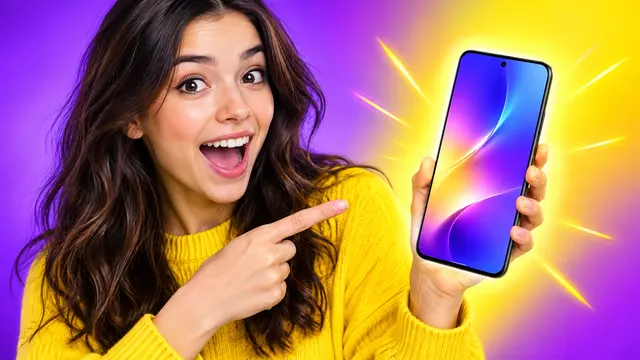 Example · made with RegiAI
Your generated thumbnail · 1280×720
1280×720, 16:9
The recommended YouTube thumbnail size, ready to upload.
Proven styles
Templates from channels with 100,000+ views per video.
Original result
Every thumbnail is a new AI creation you can use commercially.
The AI YouTube thumbnail generator starts from what already gets clicks. Pick a template from a library of thumbnails from successful channels, grouped by niche, type your video title, and add a style note if you like. The AI creates a new 16:9 thumbnail in the same style, with your text in bold, readable type.
Each thumbnail costs $0.10, and signed-in users get one free generation a day. To grab an existing thumbnail from any video, use the free YouTube Thumbnail Downloader. For a fully custom image from a prompt, try the AI Image Generator.
Browse by category, such as gaming, tech or history, and click the thumbnail whose layout fits your video.
Type the text for the thumbnail (up to 200 characters) and a style note like "make it more dramatic, use red colors".
Your thumbnail is usually ready in 30 to 60 seconds. Download it and upload it in YouTube Studio.
Click-worthy 16:9 thumbnails that follow layouts proven in your niche.
Make two or three versions with different text or colors and test them in YouTube.
Keep the layout, change the colors, mood or subject with a short instruction.
Cover images for podcast episodes, course lessons and webinars.
Eye-catching covers to match a series or a channel look.
Bold typography designed to stay readable on phones and in search results.
Browse what works in another category before you start a new series.
Give older uploads a new thumbnail to bring them back into recommendations.
Most viewers decide in a second whether to click. Successful channels in each niche have already found layouts that work: a big face with an emotion, two or three bold words, one strong color contrast, a clear object. Starting from one of those layouts means your thumbnail follows a pattern viewers already respond to, without copying anyone.
The templates are thumbnails from public YouTube channels, used only as style references. The AI uses the template for its composition, colors and feel, and creates a new image with your text and changes. Do not recreate another channel's logo, branding or face, and make sure the result reflects what is actually in your video.
Browse by category to find layouts from your niche. If none fits, pick the closest one and describe what to change in the style instructions.
Style instructions let you change more than colors. You can ask for a different mood, a new background, a different object, or a darker, brighter or more dramatic version. Keep each instruction short and concrete so the AI knows exactly what to change.
Making the video itself too? Generate B-roll with the AI Video Generator or a full short with AI Script to Video, and pull key points from a long video with YouTube to Notes.
Consistency helps too. When your thumbnails share one or two colors and a similar text style, returning viewers recognize your videos faster in their feed.
Each thumbnail costs $0.10. Signed-in users get one free generation a day on AI tools priced at $0.10 or less, including this one. It does not stack or roll over. After that, it is pay per use from your balance, with no subscription; credit packs start at $10.
You are only charged when a thumbnail is created. If generation fails, you are not charged and can try again. RegiAI does not add a watermark, and your thumbnails are saved in My creations for 30 days.
Compared with hiring a designer or spending an hour in an editor for each video, a few $0.10 variations make it practical to give every upload its own thumbnail, and to test more than one. Use the one that performs best as the starting point for your next video in the same series, so your channel builds a recognizable look.
The thumbnail generator is also available through the RegiAI API, together with a free endpoint that lists the templates, which is handy if you publish often and want to automate covers.
Still stuck? Contact us.